What Does “East-West Traffic” Mean and Why Should I Care?
When people talk about network traffic, they often picture users browsing the internet, downloading files or connecting to cloud services. That is usually north-south traffic: data moving into or out of an organisation’s network. But a great deal of important activity happens inside the network itself. This is called east-west traffic.
East-west traffic is the communication between devices, systems and services within an organisation’s environment. It might be a laptop connecting to a file server, an application talking to a database, a building-management system exchanging data with a control server, or a workstation reaching another workstation. It can cross floors, buildings, data centres, sites or cloud environments. The name describes a direction on a network diagram; it does not mean the traffic literally travels east or west.
Why should you care? Because once an attacker gets inside a network, they often rely on internal network movement to find valuable systems, obtain credentials and expand their access. If east-west traffic is poorly controlled or barely visible, that movement can be hard to detect. Strong security monitoring, sensible segmentation and dependable physical infrastructure all help reduce the risk.
East-west traffic: a simple example
Imagine an employee opens a document stored on a server. Their computer sends a request across the local network, the server responds, and the document appears on screen. That exchange is east-west traffic. So is a finance application querying a database, or a server communicating with a backup system.
Some east-west traffic is expected and necessary. The challenge is distinguishing normal communication from activity that should not be happening. A workstation may have a legitimate reason to connect to a particular server, but probably should not be able to browse every server, industrial controller and colleague’s laptop on the network.
Traffic type Typical example Security question North-south A user’s computer connecting to a public website What is entering or leaving the organisation? East-west A user’s computer connecting to an internal server Which internal systems can communicate, and why?Why attackers care about internal network movement
Many intrusions do not stop at the first compromised device. An attacker may begin with a stolen password, a vulnerable internet-facing service or a malicious attachment. After gaining an initial foothold, they may look for other devices, reuse credentials, access shared folders or target systems that hold sensitive information.
That progression is often called lateral movement. It depends on the attacker being able to discover and communicate with other systems. Broad, poorly controlled east-west access can make that easier. A compromised office workstation that can reach servers, management interfaces and operational technology (OT) devices has a much larger opportunity to cause harm than one restricted to the services it needs.
There is an important practical point here: an internet firewall can be well configured and still leave a serious gap. If it mainly controls traffic at the network boundary, it may not inspect or restrict communication between internal segments. Once traffic is already inside, the controls that matter are the ones governing those internal paths.
Segmentation is a design outcome, not a checkbox
Network segmentation separates systems into distinct areas and controls the traffic allowed between them. Segments might be organised by business function, sensitivity, trust level or operational purpose. For example, user devices, servers, guest Wi-Fi, security cameras and industrial control equipment usually have different needs and should not automatically share unrestricted access.
Good segmentation limits unnecessary pathways. If a device is compromised, segmentation can help contain the incident and make unauthorised internal network movement more difficult. It can also make security monitoring more useful: a connection from a user VLAN to an approved application server may be routine, while the same connection to a controller-management interface may need investigation.

Segmentation relies on both sound design and capable switching. Managed switches can support features such as VLANs, access control lists and monitoring integrations, depending on the model and configuration. But owning capable equipment is not the same as having effective segmentation. VLANs that are connected by permissive routing, shared management access or undocumented exceptions may offer little real protection.
Questions worth asking about your design
- Which systems genuinely need to communicate with each other?
- Are users, servers, guest devices and OT assets separated appropriately?
- Where is traffic between segments inspected, filtered and logged?
- Are switch and firewall rules documented, reviewed and tied to a business need?
- Can administrators manage network equipment through a dedicated, protected path?
- What happens at 2am when a link, switch or rule change breaks a critical service?
Firewalls can help enforce policy between network zones, including inside a site, but placement matters. A firewall that is bypassed by another route cannot protect the traffic it never sees. The same is true of other controls: security policy needs to match the actual network paths, not just the diagram in a project document.
Security monitoring needs a view of the inside
Security monitoring is not only about watching internet connections. To spot suspicious internal activity, organisations need enough visibility into east-west traffic to understand what is communicating, across which boundaries, and whether that behaviour is expected.
Useful sources can include switch and router logs, firewall records, network flow data, authentication logs and endpoint telemetry. Endpoint detection platforms can show activity on individual devices, such as unusual processes or suspicious connections. Network monitoring adds a different perspective by helping identify communication patterns between systems, including activity that may not be obvious from one endpoint alone.
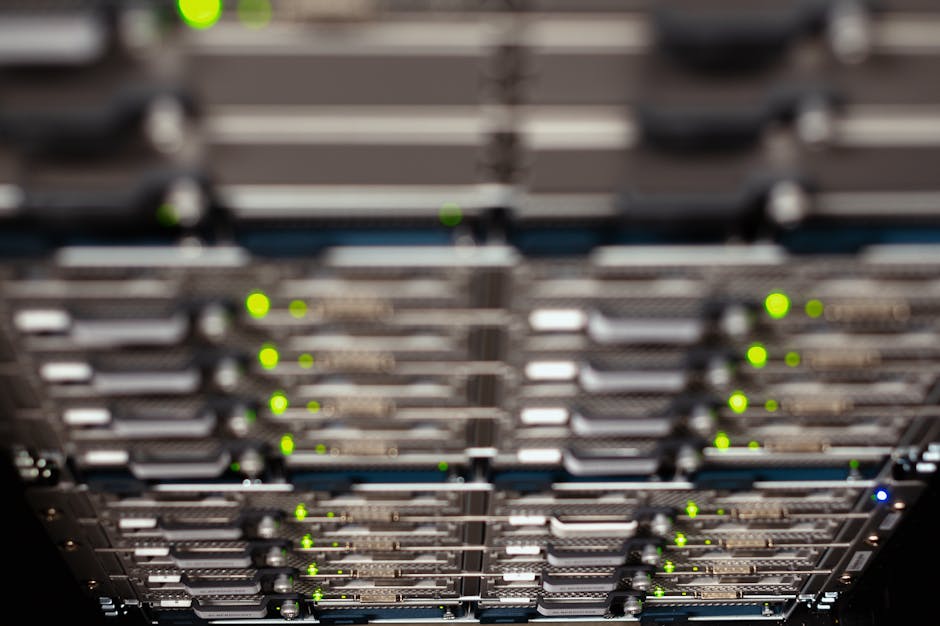
No single source tells the whole story. An endpoint detection platform may raise an alert on a compromised laptop, while network data shows that the laptop then contacted several servers it had never reached before. Together, these clues can help responders establish what happened and how far it spread.
Monitoring also depends on context. If the security team does not know which devices are servers, printers, cameras or controllers, an alert can be hard to assess. Asset inventories, network diagrams and sensible naming conventions matter. So does keeping records current when equipment, cabling or switch ports change.
The physical layer is part of cybersecurity
It is tempting to treat cabling and switching as separate from security: the network team handles the physical work, then the security team adds controls. In practice, physical infrastructure is part of cybersecurity. If the foundation is unreliable or undocumented, security controls can fail, become inaccurate or leave blind spots.
A damaged fibre link, a mispatched cable or a failing switch can cause an outage. It can also disrupt monitoring, break a segmented path or send traffic through an unexpected route. A sensor that loses its mirror port, for example, may stop receiving the traffic it was meant to observe. A replacement switch configured differently from the original can quietly alter VLANs or access controls.
This is why physical-layer faults can create both service interruptions and security blind spots. When troubleshooting focuses only on the application or firewall, the real cause may be a cabling or switching problem. “Mystery cables” and follow this link unlabelled patch panels are not just untidy; they make it harder to confirm where traffic is going and what a technician might disconnect by mistake.
Vendors serve different needs in this space. Cisco is one familiar supplier of enterprise networking equipment, while Garland is known for network visibility and packet-broker solutions. MOXA provides networking products used in industrial environments. These names are examples, not substitutes for good architecture: the right equipment still needs to be selected, configured, documented and maintained for the environment in which it is used.
Small operational habits make a difference
- Label patch panels, cables, switch ports and power supplies clearly.
- Maintain accurate diagrams and an asset inventory.
- Use managed switches in production environments where control and visibility are required.
- Secure management interfaces and remove default credentials before deployment.
- Test monitoring feeds after network changes, not just application connectivity.
- Keep configuration backups and document how to restore service during an outage.
ACSC guidance and the foundations beneath it
Australian organisations often refer to guidance from the Australian Cyber Security Centre (ACSC) when developing security practices. The practical measures in ACSC guidance, including the Essential Eight, sit within a wider security environment: systems need to be known, access needs to be controlled, changes need to be managed and incidents need to be detectable and recoverable.
Those outcomes depend on reliable network foundations. You cannot confidently restrict access between systems if the network’s actual paths are unknown. You cannot rely on logs if a misconfiguration prevents them from being collected. And you cannot quickly contain an incident if network segments, switch locations and dependencies are a mystery. ACSC guidance is not a replacement for good network engineering; applying security guidance effectively assumes that the underlying environment is understood and maintained.
How to improve east-west security
You do not need to redesign the entire network in one go. Start by establishing what exists, identifying the highest-risk pathways and reducing unnecessary access in stages.
- Map assets and connections. Identify devices, their owners, their purpose and the services they need. Compare documentation with what is actually connected.
- Find broad access. Look for flat network areas, permissive rules and unmanaged equipment. Prioritise pathways from user devices to critical servers and OT environments.
- Define trust zones. Group systems according to function and risk, then specify the required communication between zones.
- Enforce and test policy. Use suitable switching and firewall controls to allow necessary traffic and deny unnecessary traffic. Test critical business and operational workflows before and after changes.
- Improve visibility. Collect useful logs and network data, validate monitoring coverage, and make sure alerts have enough asset and business context.
- Review regularly. Revisit rules, diagrams, credentials and monitoring after projects, incidents, equipment replacements and site changes.
Take care not to turn segmentation into an outage generator. A rule that blocks an undocumented dependency may interrupt a process people rely on. In OT environments especially, changes need to account for safety, availability, vendor support and operational windows. Plan, test and coordinate; do not assume a production network behaves like a lab.
The takeaway
East-west traffic is the everyday communication that takes place inside a network. It supports business applications and operations, but it can also enable an attacker’s internal network movement if access is too broad and security monitoring is weak.
Reducing risk means treating the network as a whole. Use segmentation that is supported by capable switching and carefully designed policy. Monitor internal activity as well as internet traffic. Maintain accurate records, protect management access and take the physical layer seriously. When a switch, cable or patch-panel change can affect what you see—and what you can contain—it is clearly not “just plumbing”.