My AI Headshot Looks Too Polished – How Do I Make It More Natural?
It’s 2026, and AI headshot generators have become vital tools for busy professionals looking to polish their LinkedIn profiles or professional bios instantly. Yet, many users encounter a common frustration: their AI-created headshots end up looking too polished, overly artificial, or just not quite realistic enough.
If you want your LinkedIn photo or professional image to look natural, approachable, and genuinely "you," this guide is for you. We'll explore practical tips to reduce the AI look in your photos and help you create a realistic LinkedIn photo that supports your professional branding.
Why Use AI Headshots?
First, a quick word on why AI headshots have become so popular. Tools like those offered by companies such as Suprmind streamline the process of capturing and generating professional photos. Instead of booking expensive studio sessions, you can create a digital portrait in minutes, customized for LinkedIn, startup directories like Startup Fame, or your company website.
AI-generated headshots also fit perfectly into the modern professional workflow, boosting productivity and communication efficiency. But there's a catch: not every AI headshot fits every use case, especially if it looks too perfect or staged.
Common Problem: The “Too Polished” AI Headshot
Most people want their profile picture to look polished but not fake. Here are some signs your AI-generated photo might be overdoing it:
- Skin looks overly smooth or airbrushed
- The lighting feels artificial or too even
- Facial expressions seem frozen or unnatural
- The background looks too plain or computer-generated
These traits often make the photo come across as less genuine, which can reduce trustworthiness—key for platforms like LinkedIn where first impressions matter.
How to Make Your AI Headshot More Natural
Here are practical steps to transform your AI headshot from “too perfect” to genuinely professional:
- Use Subtle Variations in Lighting and TextureSome AI tools let you adjust lighting and add realistic skin texture. Play around with these to avoid flat or overly bright looks.
- Choose Casual Yet Professional ExpressionsSmiles that are too forced or looks that are too stern won't feel natural. Pick or generate expressions that look relaxed and approachable.
- Add Realistic BackgroundsInstead of solid or plain backgrounds, opt for subtle office settings or natural blur effects. Tools like Suprmind offer options that blend backgrounds well.
- Limit Over-SmoothingSome AI editing exaggerates wrinkle removal, leading to an unrealistic look. If your tool allows, dial back smoothing effects to maintain human texture.
- Use Comparison and FeedbackUpload your AI headshot alongside a recent candid photo to get feedback from colleagues or friends. Small tweaks can improve perceived authenticity.
Tool Recommendations for Natural AI Headshots
You need tools built for professional results without the fuss. Here are companies and platforms that stand out in 2026:
https://startupfa.me/tags/professional Company Key Strengths Pricing Transparency Ideal For Suprmind AI portrait generation with editable lighting, background, and expressions Clear pricing shown on website Professionals seeking polished, customizable AI headshots ImageTranslateAI Image text translation & multilingual overlays (helps global professionals) Pricing not displayed upfront on tag pages — a frequent user complaint Companies needing captioned, multilingual images for marketing and communication Accomplish It All-in-one productivity suite focused on communications & work flow Pricing details found after signup Teams aiming to enhance remote work and professional messagingNote: Always check if the pricing and feature details are fully visible before you commit to any AI tool. Having clear pricing upfront saves time and prevents surprises during onboarding.
LinkedIn: Why Your Realistic AI Headshot Matters More Than Ever
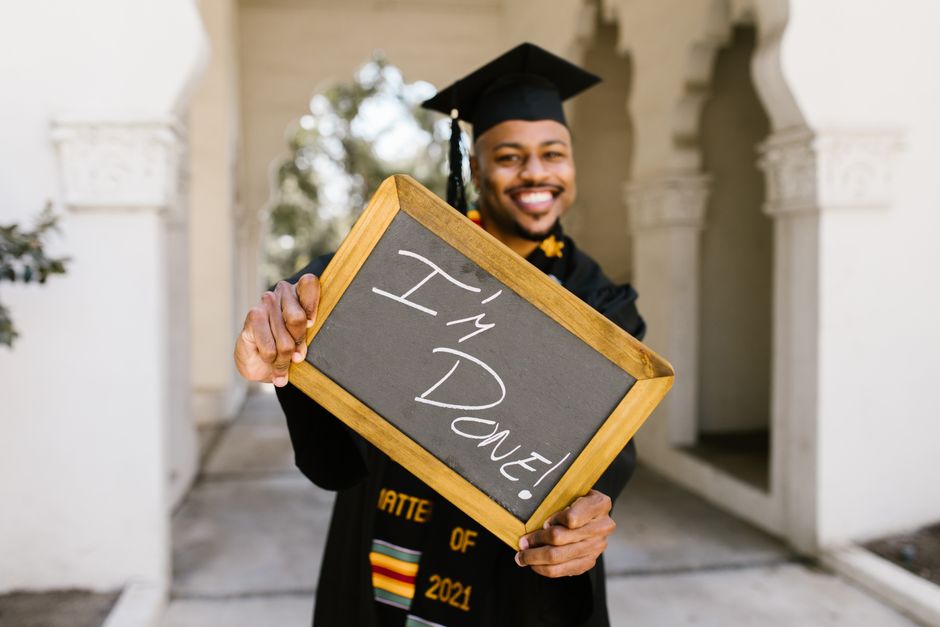
LinkedIn remains the top professional network globally, and your profile photo is your visual first impression. Studies show that profiles with clear, genuine headshots attract over 14 times more views than those without.
A realistic LinkedIn photo helps:
- Build trust with recruiters, clients, and partners
- Signal approachability and professionalism
- Stand out in professional directories like Startup Fame
By using AI tools responsibly and avoiding the “too polished” look, you enhance your personal brand and networking potential.
The Multilingual Edge: Embed Your AI Headshot in Global Workflows
In today's multicultural and globalized workforce, professionals often need to communicate across languages. That’s where companies like ImageTranslateAI shine. Their AI-powered tools help translate and contextually embed texts inside images—perfect for presentations, marketing, and even personalized profiles that cross language barriers.
Integrating natural-looking AI headshots with translated or localized image text boosts your global communication reach, making your digital presence more inclusive and accessible.
Discover More Professional AI Tools in Startup Fame Directory
Want to explore more AI productivity and branding tools vetted by professionals? The Startup Fame directory curates emerging AI startups with transparent info, user reviews, and category-based sorting.
When browsing directories, watch out for listings lacking:
- Clear pricing details — often a red flag
- Example images or screenshots of the tool in action
- Real user feedback or concrete use cases
Directories like Startup Fame help you filter these and get straight to tools that match your specific workflow needs without a long trial and error.
Summary: Best Practices to Keep Your AI Headshot Realistic
- Adjust lighting and skin texture to avoid flat or over-smoothed images
- Choose expressions that feel approachable and natural
- Place your photo in a subtle realistic background
- Use AI tools with transparent pricing and demo examples — like Suprmind
- Pair your headshot with multilingual image tools to boost global communication
- Leverage directories like Startup Fame for discovery and due diligence
Best for:
Professionals who want polished yet genuine AI headshots for LinkedIn and other professional platforms that reflect their true self, while optimizing for global digital communication and discovery in 2026.
Final Thought
AI headshots are a powerful productivity and branding asset—but the key is balance. Too polished, and you risk losing authenticity. With smart tool selection and simple tweaks, your AI-generated photo can become a realistic, approachable image that opens doors rather than closes them. Embrace the tech, but keep it human.
If you want a no-fuss starting point, Suprmind offers solid AI headshots with customization and upfront pricing, helping you get a natural look without endless trial.